
It can work for businesses with relatively simple technology environments and infrequent support needs. But as a company becomes more dependent on networks, cloud applications, workstations, servers, backups, cybersecurity, and connected systems, waiting for something to fail can become increasingly disruptive.
The alternative is managed IT support, where an IT provider takes an ongoing role in monitoring, maintaining, supporting, and planning the technology environment.
So, when comparing break-fix vs managed IT support in Calgary, the real question is not simply which model costs less each month.
It is whether your business needs IT that primarily responds to problems after they happen or an ongoing approach designed to monitor, maintain, and support the environment before every issue becomes an emergency.
Quick Answer: Break-Fix vs Managed IT Support
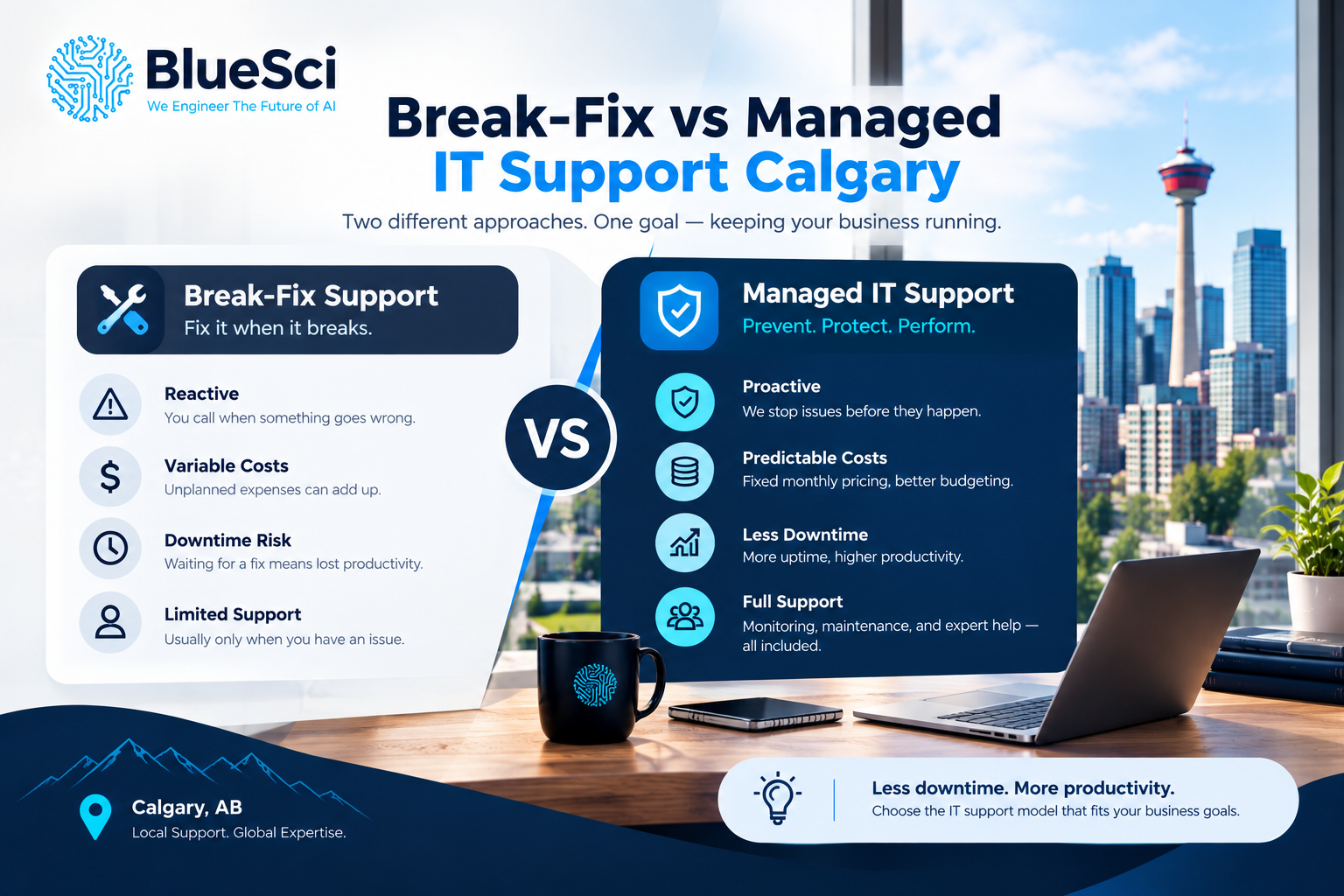
Break-fix IT support is reactive. Your business contacts an IT provider when something goes wrong, and you typically pay for the work required to diagnose and resolve that particular problem.
Managed IT support is ongoing and proactive. Instead of interacting with the provider only after failures, the provider continuously manages agreed areas of the IT environment through monitoring, maintenance, helpdesk support, reporting, and technology planning.
The main difference is therefore not simply how you pay.
Break-fix focuses primarily on repairing problems. Managed IT combines problem resolution with ongoing management of the technology environment.
For Calgary businesses that depend heavily on technology for daily operations, that difference can become increasingly important as the organization grows.
What Is Break-Fix IT Support?
Break-fix is a traditional IT support model where a business generally contacts a technician or IT provider after a technical problem occurs.
A computer stops working. The network becomes unreliable. An application fails. A server develops a problem. An employee cannot access something they need.
The business contacts its IT provider, the provider diagnoses the issue, performs the necessary work, and the business pays for that service.
Common break-fix situations can include:
- troubleshooting computers that stop working,
- resolving network or WiFi problems,
- repairing or replacing failed hardware,
- resolving software problems,
- restoring access to systems,
- troubleshooting printers and connected devices, or
- responding to server and infrastructure problems.
Between incidents, the IT provider may have relatively little involvement with the business environment.
That simplicity can make break-fix attractive to businesses that do not require frequent IT support.
What Does Break-Fix Support Mean?
Break-fix support means IT assistance is primarily provided after a technical problem occurs.
The basic model looks like this:
Problem occurs → Contact IT provider → Diagnose problem → Repair problem → Pay for service
Once the issue is resolved, the relationship may return to a relatively inactive state until another technical problem appears.
This differs from managed IT because there is not necessarily an ongoing management layer surrounding the technology environment.
Break-fix is therefore best understood as an incident-driven IT support model.
What Is Managed IT Support?
Managed IT support takes a different approach.
Instead of waiting until something fails before the IT provider becomes involved, the provider takes ongoing responsibility for agreed areas of the company’s technology environment.
Depending on the service agreement and business requirements, managed IT can involve:
- monitoring critical business systems,
- helpdesk and end-user support,
- proactive maintenance,
- workstation and device management,
- patch and update management,
- network administration,
- server management,
- backup oversight,
- vendor coordination,
- IT documentation,
- reporting, and
- longer-term technology planning.
Problems still happen in a managed environment.
Hardware can fail. Software can malfunction. Internet connections can experience outages. Employees can still need technical support.
The difference is that reactive support exists alongside ongoing monitoring and maintenance.
Learn more about BlueSci’s Managed IT Services.
Break-Fix vs Managed IT Support: Key Differences
The easiest way to understand the two approaches is to compare how each one handles the IT environment.
| Area | Break-Fix IT | Managed IT |
|---|---|---|
| Support Approach | Primarily reactive | Proactive and reactive |
| Provider Involvement | Usually when assistance is requested | Ongoing |
| Monitoring | Usually limited unless purchased separately | Can include ongoing monitoring of covered systems |
| Maintenance | Often performed when requested | Proactive maintenance can be part of the service |
| Cost Structure | Usually per incident, hour, or project | Usually recurring service agreement |
| User Support | Requested when needed | Ongoing helpdesk support |
| Documentation | Varies | Typically maintained as part of ongoing management |
| Technology Planning | Often limited or project-based | Can be part of the ongoing relationship |
| Primary Focus | Resolve the current problem | Support and maintain the wider IT environment |
Neither model is automatically appropriate for every organization.
The better fit depends on how complex your IT environment is, how frequently employees need support, and how much disruption your business can tolerate when technology stops working.
Break-Fix vs Managed IT Support Costs
Cost is one of the biggest reasons businesses compare break-fix and managed IT.
But comparing the two models is not as simple as comparing an hourly rate with a monthly fee.
How Break-Fix IT Costs Work
With break-fix, a business generally pays when support is required.
That can make the model attractive during periods when very little goes wrong.
A business might have several months with relatively low IT support expenses.
But costs can fluctuate when a significant technical problem occurs.
A server issue, network failure, hardware replacement, or complicated troubleshooting incident may require considerably more work than an ordinary support request.
How Managed IT Costs Work
Managed IT commonly uses an ongoing service agreement.
The exact structure depends on the provider, number of users or devices, infrastructure, service scope, and complexity of the environment.
A recurring model can make routine support and management more predictable for budgeting purposes.
However, businesses should understand what is included.
New hardware, major infrastructure projects, software subscriptions, or specialized work may still be separate depending on the agreement.
The right comparison is therefore not simply “monthly fee vs. hourly rate.” It is the total cost and operational impact of supporting the business’s technology.
The Cost Businesses Often Miss: Downtime
The invoice from an IT provider is only one part of the cost of a technology problem.
Consider a Calgary office where the network stops working during the business day.
The direct IT cost is whatever is required to diagnose and repair the problem.
But the business may also experience:
- employees unable to perform normal work,
- delayed customer responses,
- interrupted access to business applications,
- missed deadlines,
- management time spent coordinating the incident,
- delayed sales or operational activity, and
- work that needs to be completed later.
That is why IT support costs should be considered alongside the business impact of downtime.
A low IT bill does not necessarily mean the underlying technology problem was inexpensive for the business.
Reactive Support vs Proactive Monitoring
One of the clearest differences between break-fix and managed IT is what happens between support incidents.
With a traditional break-fix relationship, the provider may not know there is a developing problem until someone from the business reports it.
Managed IT can include ongoing monitoring of critical systems.
This can provide visibility into certain warnings or developing technical problems before they become obvious to employees.
Monitoring does not guarantee that every outage will be prevented.
But it changes the approach from waiting for users to discover every problem toward actively watching agreed parts of the environment.
How IT Maintenance Differs
Technology requires maintenance even when everything appears to be working.
Operating systems require updates. Devices age. Software changes. Network equipment needs management. Security patches need to be applied.
In a purely reactive environment, maintenance can easily be postponed because there is no immediate problem to solve.
Managed IT allows maintenance to become part of the ongoing technology process.
Instead of asking:
“What broke today?”
the business can also ask:
“What should we maintain or address now to reduce problems later?”
Break-Fix vs Managed IT for Cybersecurity
Cybersecurity highlights an important limitation of relying entirely on reactive IT support.
Security should not begin after a security incident occurs.
Businesses need to consider areas such as:
- software and security updates,
- device configurations,
- user access,
- network configuration,
- backup practices, and
- ongoing system maintenance.
A managed IT relationship allows these areas to be considered as ongoing responsibilities rather than only during an emergency.
That does not mean managed IT eliminates cybersecurity risk.
No IT support model can guarantee that incidents will never occur.
The difference is that security-related maintenance and oversight can become part of the normal management of the environment.
What About Backup and Disaster Recovery?
Backups are another area where waiting until something goes wrong can be risky.
A business may believe its data is protected simply because a backup system exists.
But important questions remain:
- What data is actually being backed up?
- How frequently does the backup run?
- Where is the backup stored?
- Who is monitoring backup failures?
- How would the business restore data?
- What happens if an important system becomes unavailable?
Backup should therefore be considered together with recovery planning.
Learn more about BlueSci’s Data Backup & Disaster Recovery services.
The Difference in Long-Term IT Planning
Break-fix support is naturally focused on an immediate question:
“How do we fix the current problem?”
Managed IT can add another question:
“What should our technology environment look like as the business changes?”
This becomes particularly important when a company is:
- hiring additional employees,
- moving to another office,
- opening another location,
- replacing aging computers,
- changing business software,
- moving workloads to the cloud,
- supporting more remote work, or
- adding new technology to its operations.
Each of those changes can affect networking, hardware, software, security, backups, licensing, and support.
Planning those requirements ahead of time can reduce rushed technology decisions later.
When Does Break-Fix IT Still Make Sense?
Break-fix is not automatically the wrong choice.
It can be practical for businesses with relatively simple technology requirements.
For example, break-fix may be sufficient when a company has:
- a very small team,
- few devices,
- a simple technology environment,
- minimal local infrastructure,
- infrequent support needs,
- internal capability for routine technology tasks, and
- a relatively high tolerance for occasional disruption.
A small company using a few laptops and straightforward cloud applications may not require comprehensive ongoing IT management.
In that situation, paying for professional assistance when required may be reasonable.
The important point is understanding the trade-off rather than assuming one model is always better.
When Does Managed IT Support Make More Sense?
Managed IT becomes increasingly relevant as technology becomes more important to everyday operations.
A Calgary business may want to consider managed IT when:
- employees regularly require technical support,
- IT problems are becoming repetitive,
- downtime directly affects operations,
- nobody internally owns IT responsibility,
- important network or server infrastructure is involved,
- the company is growing,
- multiple technology vendors need coordination,
- backup and recovery are increasingly important,
- technology decisions are being made reactively, or
- management wants a more structured approach to IT.
Another warning sign is when an owner, office manager, or another employee has gradually become the company’s unofficial IT department.
Every hour that person spends troubleshooting technology is an hour not spent on their primary role.
Signs Your Calgary Business Has Outgrown Break-Fix Support
The transition from break-fix to managed IT rarely happens because of one dramatic event.
More often, small problems begin to accumulate.
Common signs can include:
- the same IT problems keep returning,
- employees regularly lose time troubleshooting technology,
- IT support bills fluctuate significantly,
- nobody knows whether important systems are being monitored,
- backups exist but are rarely reviewed,
- technology documentation is incomplete,
- hardware is replaced only after failure,
- different vendors blame each other when problems occur,
- IT decisions are consistently made during emergencies, or
- the business has grown but its IT support model has not.
If several of those situations sound familiar, the problem may no longer be an individual technical issue.
It may be the way IT itself is being managed.
For a deeper look at provider-related warning signs, read Signs Your Calgary Business Needs a New IT Provider.
A Practical Example: When Break-Fix Starts Becoming Difficult
Consider a hypothetical Calgary business with 25 employees.
When the company was smaller, its IT environment consisted mainly of laptops, cloud email, a basic office network, and a few business applications.
Break-fix support worked reasonably well because technical problems were infrequent and the environment was relatively simple.
Then the company grew.
It added more employees, additional cloud applications, more networking equipment, remote workers, shared business data, connected devices, and more demanding backup requirements.
Now an individual network problem can affect dozens of employees.
A failed device may interrupt an important workflow. A recurring WiFi problem affects meetings and cloud applications. Different vendors need to coordinate when something goes wrong.
At this stage, IT is no longer a collection of independent devices.
It has become an interconnected business environment.
That is often the point where managing the environment proactively starts to make more sense than repeatedly repairing individual problems.
What If Your Business Already Has Internal IT Staff?
The decision does not always have to be internal IT or managed IT.
Some organizations already have capable internal technology staff but need additional support for specific areas.
An external provider may help with infrastructure, monitoring, networking, specialized projects, vendor coordination, or additional support capacity.
This type of arrangement can allow internal staff to focus on priorities that require their knowledge of the organization while an external provider supports other parts of the technology environment.
The right structure depends on the company’s existing team, systems, workload, and technical requirements.
How Do You Switch From Break-Fix to Managed IT?
Moving from break-fix to managed IT should start with understanding the current environment.
A structured transition can include:
- Reviewing existing computers, servers, networks, and business applications.
- Documenting hardware, software, vendors, licenses, and configurations.
- Reviewing backup and recovery requirements.
- Identifying recurring technical problems.
- Identifying urgent infrastructure or security risks.
- Establishing support and escalation procedures.
- Deploying appropriate monitoring and management tools.
- Creating a prioritized technology plan.
The objective should not be to replace everything immediately.
A better approach is to understand the environment first, identify priorities, and address them in a sensible order.
What Should You Ask a Calgary Managed IT Provider?
The phrase “managed IT services” can describe different service models.
Before choosing a provider, businesses should understand exactly what the agreement includes.
Useful questions include:
- Which systems will you monitor?
- What helpdesk hours are included?
- How are urgent issues handled?
- Is onsite support available when required?
- How are software updates and patches managed?
- How do you handle recurring technical problems?
- Who coordinates with third-party technology vendors?
- How are backups reviewed?
- Will you maintain IT documentation?
- How do you report on the environment?
- Is technology planning included?
- What services or projects are not included in the recurring agreement?
The provider’s answers can be more informative than the phrase “managed services” itself.
How BlueSci Approaches Managed IT Services in Calgary
BlueSci provides IT Solutions & Services in Calgary for businesses that need ongoing technology support and infrastructure management.
Our managed IT approach combines day-to-day support with proactive management and longer-term planning.
Depending on the business environment, this can include:
- 24/7 monitoring of critical business systems,
- helpdesk support aligned with business hours,
- proactive maintenance,
- IT environment reporting,
- infrastructure support,
- network management,
- server and cloud support,
- backup and disaster recovery planning,
- hardware configuration,
- vendor coordination, and
- longer-term technology planning.
Because many IT problems involve more than one device or system, BlueSci can also work across areas such as:
- IT Infrastructure Setup
- Network Design & Installation
- Server Setup & Cloud Migration
- Data Backup & Disaster Recovery
- Hardware Procurement & Configuration
The objective is not simply to respond to support tickets.
It is to understand how the different parts of the IT environment support the business and identify where recurring issues, aging infrastructure, or technology bottlenecks require attention.
Learn more about BlueSci’s Managed IT Services.
Frequently Asked Questions About Break-Fix vs Managed IT Support
What does break-fix support mean?
Break-fix is a reactive IT support model where a business contacts an IT provider after a technical problem occurs. The provider diagnoses and resolves the issue, and the business typically pays for the specific service performed.
What is the difference between break-fix and managed IT services?
Break-fix primarily responds to problems after they occur. Managed IT combines reactive support with ongoing monitoring, maintenance, documentation, reporting, and technology planning for the areas covered by the service agreement.
Is break-fix IT cheaper than managed IT?
Break-fix can have lower ongoing support costs when a business rarely needs assistance. However, expenses can become less predictable when significant failures or recurring problems occur. Businesses should also consider the operational cost of downtime and employee time, not only the IT provider’s invoice.
Does managed IT prevent all IT problems?
No. Hardware can fail, software can malfunction, internet services can experience outages, and other technical problems can still occur. Managed IT adds monitoring, maintenance, support, and planning designed to manage the environment more proactively.
Can a small business use managed IT services?
Yes. The decision depends on the business’s technology requirements rather than employee count alone. A small company with business-critical systems may benefit from ongoing management, while another small business with a very simple technology environment may be adequately served by break-fix support.
What is proactive IT support?
Proactive IT support involves monitoring and maintaining technology before every issue becomes an emergency. This can include system monitoring, updates, maintenance, documentation, and identifying recurring problems or developing risks.
Can managed IT work with an internal IT team?
Yes. An external managed IT provider can complement an internal team by supporting areas such as infrastructure, monitoring, networking, specialized projects, vendor coordination, or additional support capacity.
How do I know if my business has outgrown break-fix IT?
Recurring technical problems, increasing downtime, frequent employee support needs, incomplete documentation, unmanaged backups, unpredictable IT expenses, and technology decisions being made during emergencies can indicate that a more proactive support model is worth considering.
What should managed IT services include?
The exact scope varies by provider and agreement. Businesses should ask about monitoring, helpdesk availability, maintenance, patching, backups, documentation, reporting, vendor management, onsite support, technology planning, and which services are excluded.
Where can I find managed IT services in Calgary?
BlueSci provides managed IT and broader IT solutions for Calgary businesses, including support, infrastructure, networking, servers, cloud, backup, and related technology services. Learn more on our Managed IT Services and Calgary IT Solutions & Services pages.
Break-Fix or Managed IT: Start With Your Business Requirements
So, when comparing break-fix vs managed IT support in Calgary, which model makes sense?
The answer depends on how your business uses technology.
For an organization with a simple IT environment and infrequent support needs, break-fix may be sufficient.
As the company grows, becomes more dependent on technology, or begins experiencing recurring problems, downtime, and increasingly complex infrastructure, ongoing IT management may become more valuable.
Before choosing between the two models, look at your actual environment.
How often do employees experience IT problems? What happens to the business when important technology stops working? Who is responsible for maintenance? Are critical systems being monitored? Are backups being reviewed? Is there a plan for aging hardware and future growth?
Those questions provide a much better basis for choosing an IT support model than comparing hourly rates and monthly fees alone.
The right IT support model is the one that matches the complexity, risk, and operational requirements of your business.
Related BlueSci Resources
- Signs Your Calgary Business Needs a New IT Provider — Learn the warning signs that your current IT support relationship may no longer fit your business.
- Why Is Your Office WiFi So Slow in Calgary? — Explore common causes of recurring business WiFi problems and when the underlying network may need attention.
- What Is Systems Integration and Why Does It Matter? — Learn why connected systems and reliable information flow matter as business technology environments become more complex.
Related IT Services
- Managed IT Services
- IT Infrastructure Setup
- Network Design & Installation
- Server Setup & Cloud Migration
- Data Backup & Disaster Recovery
Not Sure Which IT Support Model Fits Your Calgary Business?
Talk with BlueSci about your current IT environment, recurring support problems, infrastructure, and future technology requirements. We can help you understand where reactive support may be sufficient and where ongoing IT management could make more sense.
No obligation. Just a practical conversation about your IT needs.
Related Articles
Business WiFi Setup in Calgary: A Complete Guide for Offices
Planning a business WiFi setup in Calgary involves more than choosing an internet package and plugging in a wireless router. A business…
Read article ↗What Is Systems Integration and Why Does It Matter?
Most businesses rely on more than one technology system. Sales may use a CRM, finance may work in accounting software, operations may…
Read article ↗Signs Your Calgary Business Needs a New IT Provider
Your IT provider should make technology easier to manage—not become another problem your team has to manage.If employees repeatedly lose time to…
Read article ↗Turn this insight into an implementation plan.
Book a free consultation with BlueSci.