
CRM integration services Calgary businesses use can solve a common problem: valuable customer information trapped across disconnected systems. Your CRM may contain sales activity, while your website collects leads, accounting software manages billing, scheduling software handles appointments, and another platform manages customer support.
When those systems do not communicate, employees become the connection between them. Someone copies a website lead into the CRM. Another person enters the same customer into accounting software. Sales updates one system while operations updates another. Follow-ups can be missed, records become inconsistent, and reporting may depend on spreadsheets.
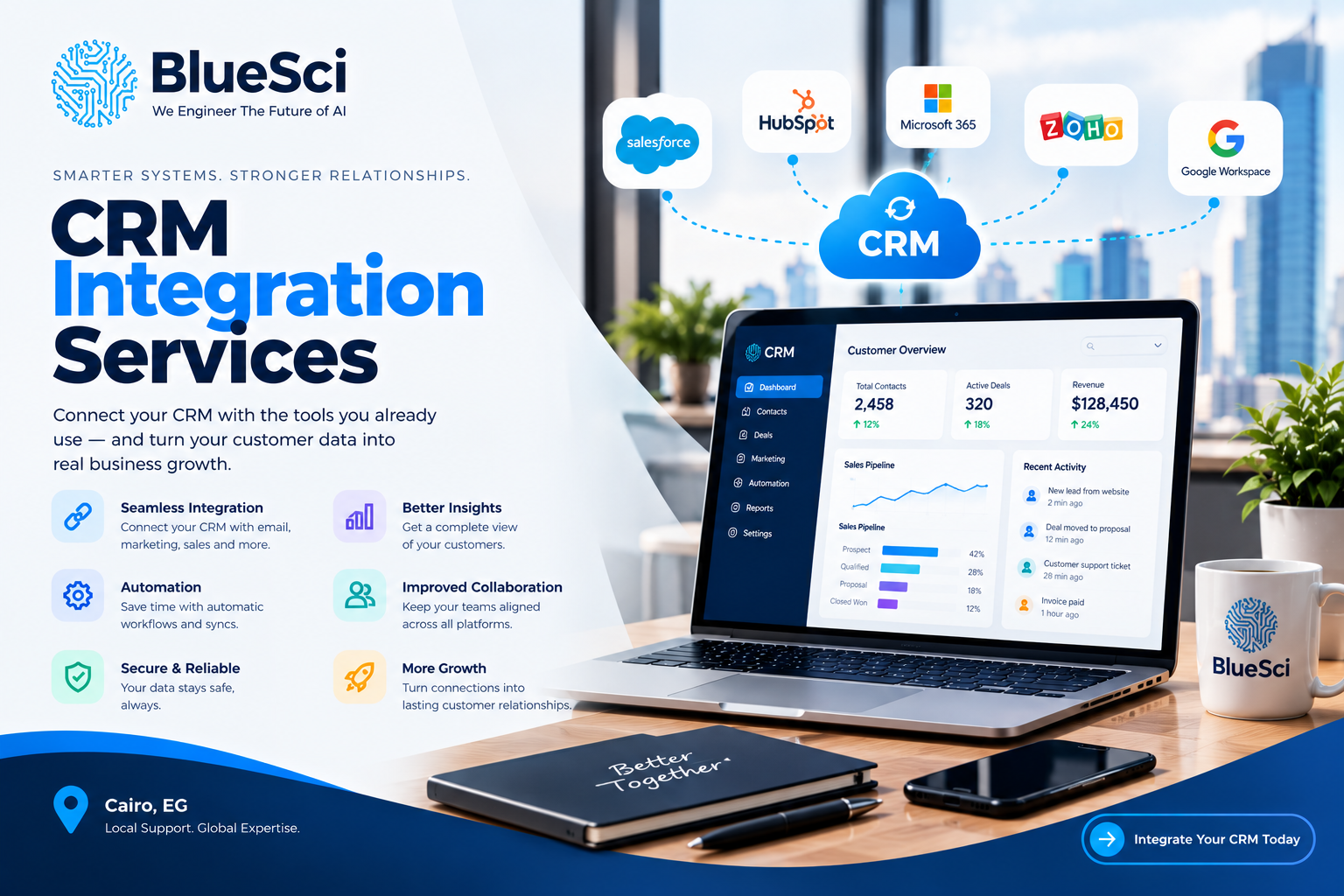
CRM integration connects those systems so approved data and workflows can move between them according to defined business rules.
This guide explains how CRM integration services in Calgary can help businesses reduce manual data entry, connect customer information, automate repetitive handoffs, and decide which systems should — and should not — be integrated.
Table of Contents
- What Are CRM Integration Services?
- What Problems Can CRM Integration Solve?
- Map the Customer Journey First
- What Can You Integrate With a CRM?
- How Does CRM Integration Work?
- What Should You Integrate First?
- What Is a System of Record?
- Common CRM Integration Problems
- Should You Integrate or Replace Your CRM?
- CRM Integration and AI
- CRM Integration Services Calgary Businesses Can Use
- CRM Integration Checklist
- Frequently Asked Questions
Quick Answer: What Are CRM Integration Services?
CRM integration services connect a customer relationship management platform with other business applications so data and workflows can move between those systems according to defined rules.
For example, when someone submits a quote request through your website, an integration could create or update the appropriate CRM record, assign the enquiry, create a follow-up task, and pass relevant information to another connected system when required.
Depending on the systems involved, CRM integrations may use native connectors, APIs, integration platforms, middleware, webhooks, or custom development.
The objective is not simply to make two applications communicate. A useful integration should solve a specific business problem and define what information moves, where it goes, when it moves, and what happens when something goes wrong.
What Problems Can CRM Integration Solve?
One of the clearest signs of disconnected business systems is when employees spend part of their day moving information between applications.
You may already have a capable CRM and several useful business tools but still experience problems such as:
- website enquiries being manually entered into the CRM;
- customer information being copied into accounting or scheduling software;
- sales and service teams maintaining different customer records;
- employees exporting and importing CSV or Excel files;
- follow-ups depending on someone remembering to create a task;
- duplicate contacts appearing across applications;
- management manually combining spreadsheets for reporting;
- employees switching between multiple systems to understand one customer;
- important customer information remaining inside individual inboxes;
- one department waiting for another department to re-enter information.
Buying another application does not necessarily solve these problems.
In many cases, the underlying issue is that existing systems are not connected around a clear business process.
What Does CRM Integration Actually Look Like?
Consider a Calgary service business receiving quote requests through its website.
Without integration, the process might look like this:
- A prospect submits a website form.
- The form sends an email to an employee.
- The employee manually creates a CRM contact.
- The lead is manually assigned to another employee.
- A follow-up task is created.
- If the prospect becomes a customer, information is entered into a scheduling or operational system.
- Billing information is later entered into accounting software.
No individual step is necessarily difficult. The problem is repeating those manual handoffs across many customer interactions.
With an appropriate integration, the website could create or update the CRM record automatically. Business rules could route the enquiry to the appropriate workflow, create a follow-up task, and pass approved information to another system when the process reaches the appropriate stage.
The exact workflow should depend on the business. Automation should support the process rather than force the process to fit the technology.
Before Integrating Your CRM, Map the Customer Journey
One of the biggest mistakes a business can make is starting an integration project by asking:
“Which connector should we use?”
A more useful question is:
“How should customer information move through our business?”
Start by mapping what happens from the moment a potential customer contacts the company through sales, service delivery, billing, support, and ongoing account management.
A simplified customer journey might look like this:
- A prospect submits an enquiry.
- The enquiry enters the sales process.
- A salesperson qualifies the opportunity.
- The customer books or approves the service.
- Operations receives the information required to deliver the work.
- Finance receives the information required for billing.
- Customer service handles future requests.
- Management reviews performance through reports or dashboards.
Now identify every point where someone has to copy information, send an internal email, update a spreadsheet, create another record, or remind another employee what needs to happen next.
Those handoffs are often good places to investigate CRM integration and Intelligent Automation & Process Optimization.
This approach prevents a business from integrating applications simply because a connector exists. Each integration should address a real workflow requirement.
What Can You Integrate With a CRM?
The appropriate integrations depend on your technology stack and business processes. There is no universal set of CRM connections that every Calgary business needs.
Website Forms and Lead Sources
A website-to-CRM integration can send enquiries directly into the CRM instead of leaving them in an email inbox until someone manually enters them.
Depending on the workflow, the CRM record may also receive information such as the requested service, form type, campaign source, location, or other relevant details.
Business rules can then route the enquiry into the appropriate sales or service workflow.
Email and Calendar
Email and calendar integrations can help associate communications and meetings with the relevant CRM records.
This can reduce manual activity logging and provide authorized team members with better context when several employees work with the same customer.
Accounting and Billing Software
Connecting CRM and accounting systems can reduce repeated entry between sales and finance workflows.
The important point is deciding what actually needs to synchronize.
Not every accounting field belongs in the CRM, and not every CRM field needs to be copied into the accounting platform.
ERP Systems
CRM-to-ERP integration can help connect customer-facing activity with operational information.
Depending on the business and systems involved, this could include customer records, orders, products, inventory-related information, account information, or other approved data.
Scheduling and Booking Systems
This can be particularly useful for Calgary service businesses where the customer journey moves from enquiry to appointment or scheduled work.
An appropriate integration can help keep customer and booking information aligned while reducing repeated data entry.
Customer Support and Help Desk Systems
Sales and support teams often see different parts of the customer relationship.
Connecting appropriate support information with CRM records can provide useful customer context without forcing employees to search through several disconnected applications.
E-Commerce and Payment Systems
Businesses selling online may connect relevant customer, transaction, or order information with CRM workflows.
This can provide sales, marketing, and service teams with better context about the customer’s relationship with the business.
Reporting and Business Intelligence
CRM data can also be combined with appropriate information from other systems for dashboards and reporting.
This can reduce the need for management to repeatedly export and manually combine data before analysing business performance.
How Does CRM Integration Work?
CRM integration services Calgary businesses consider do not always require custom software development. The appropriate technical approach depends on the applications, workflow, available integration options, security requirements, data volume, and maintainability requirements.
Native Integrations
Many CRM platforms provide built-in integrations with commonly used business applications.
If a native integration supports the required data and workflow, it may be simpler to implement and maintain than a custom connection.
Pre-Built Connectors
Third-party connectors can help connect applications with established integration patterns.
They can reduce development requirements, but the existence of a connector does not automatically mean it matches the way your business needs to work.
CRM API Integration
An API, or application programming interface, provides a structured way for applications to exchange information or trigger actions.
CRM API integration may be appropriate when a business requires more control over the data being exchanged or when standard connectors cannot support the required workflow.
Middleware and Integration Platforms
An integration layer can sit between applications and coordinate the movement of information between them.
This can be useful when multiple applications participate in the same business process.
Custom CRM Integration
Custom development may be appropriate when connecting proprietary software, legacy systems, specialized workflows, or applications that cannot be adequately connected using existing options.
Custom development should solve a requirement that simpler approaches cannot address. Complexity should not be added simply because it is technically possible.
Which CRM Integration Should You Build First?
You do not need to connect every business application at once.
For many Calgary businesses, a phased approach is more practical. Start with workflows creating significant manual work, delays, duplicate information, errors, or customer-service friction.
| Current Problem | Integration to Evaluate | Potential Outcome |
|---|---|---|
| Website leads require manual entry | Website → CRM | Automated lead capture and routing |
| Follow-up tasks are frequently missed | CRM → Workflow Automation | More consistent follow-up processes |
| Customer details are entered twice | CRM ↔ Accounting / ERP | Less duplicate data entry |
| Appointments are maintained separately | CRM ↔ Scheduling | Connected customer and booking information |
| Sales lacks customer service context | CRM ↔ Help Desk | Better visibility across customer interactions |
| Management manually combines spreadsheets | CRM + Business Systems → Reporting | More consistent reporting workflows |
The best first integration is not necessarily the most technically impressive one.
It is often the connection that removes a meaningful operational bottleneck without introducing unnecessary complexity.
A Simple CRM Integration Priority Test
If you are unsure where to begin, evaluate each proposed integration using five practical questions.
1. Frequency
How often does the manual handoff happen?
A task repeated many times every day may deserve more attention than a process performed a few times each year.
2. Employee Effort
How much time does the current process require?
Consider not only data entry but also checking, correcting, searching, exporting, importing, and following up.
3. Error Risk
What happens when someone forgets a step or enters the information incorrectly?
The operational consequence matters as much as the time involved.
4. Customer Impact
Does the disconnected process delay a response, appointment, quote, order, or support request?
5. Integration Complexity
How difficult will the connection be to implement, secure, test, and maintain?
A frequently repeated workflow that consumes employee time, creates errors, affects customers, and can be integrated reliably may deserve higher priority than a complex integration used only occasionally.
Not Everything Needs to Be Integrated
More integrations do not automatically create a better technology environment.
Unnecessary connections can increase complexity, duplicate irrelevant information, expand data access, and make systems harder to maintain.
Before connecting two applications, ask:
- Does this information actually need to exist in both systems?
- Who needs access to it?
- Which application should own the original record?
- Does the information need to update immediately?
- What business process improves because of the connection?
- What happens if synchronization fails?
Good CRM integration is not about creating the largest number of connections. It is about creating the right connections.
What Is a System of Record, and Why Does It Matter?
One of the most important decisions in a CRM integration project is determining which system is responsible for specific information.
Imagine a customer’s phone number exists in the CRM, accounting platform, and scheduling application.
If an employee changes that number in one application, what should happen?
Should that application update the others? Should the CRM always be authoritative? Can all three systems modify the same information?
Without defined rules, synchronization can create conflicts rather than solve them.
An integration plan should therefore establish which application acts as the system of record for important information and how updates should propagate to other systems.
One-Way vs Two-Way CRM Integration
Not every CRM integration needs two-way synchronization.
In a one-way integration, information moves from one application to another.
For example, a website form might create a CRM lead without requiring the CRM to send information back to the website.
In a two-way integration, both systems can exchange updates.
Two-way synchronization can be useful, but it also requires clearer rules around record ownership, duplicates, conflicts, and update timing.
The architecture should match the business requirement rather than automatically choosing the most complex option.
Real-Time vs Scheduled CRM Synchronization
Businesses sometimes assume every CRM integration needs to operate in real time.
That is not always necessary.
A new website enquiry may need to reach the sales team quickly. A management reporting dataset may only require periodic updates.
The appropriate synchronization frequency depends on how quickly the information becomes operationally important.
This decision can also affect integration complexity, API usage, system load, and error handling.
CRM Integration vs CRM Implementation
CRM implementation and CRM integration are related, but they solve different problems.
CRM implementation generally focuses on deploying and configuring the CRM itself. This can include users, permissions, fields, pipelines, dashboards, business processes, and potentially data migration.
CRM integration focuses on connecting the CRM with other applications and data sources.
A company deploying a new CRM may need both. A business with an established CRM may only need better connections around the platform it already uses.
CRM Integration vs Systems Integration
CRM integration is one part of the broader field of systems integration.
If the CRM is only one of several disconnected applications, the business problem may extend beyond customer relationship management.
ERP platforms, databases, cloud applications, reporting systems, APIs, internal applications, and operational software may also need to exchange information.
Learn more in What Is Systems Integration and Why Does It Matter? or explore BlueSci’s IT Systems Integration services.
What Are the Benefits of CRM Integration?
Reduce Repetitive Data Entry
Employees can spend less time copying information between applications when an appropriate integration can move it automatically.
Improve Data Consistency
Defined synchronization rules can reduce situations where different applications contain conflicting versions of the same customer information.
Improve Lead Handling
Connecting lead sources with CRM workflows can reduce manual steps between a customer submitting an enquiry and that enquiry reaching the appropriate employee.
Connect Teams Around the Customer
Sales, operations, finance, service, and management often require different information about the same customer.
Integration can make appropriate information available across workflows while allowing teams to continue using the applications designed for their work.
Create Better Workflow Automation
Automation becomes more useful when systems can exchange the information required to continue a process.
A CRM event can potentially trigger tasks, notifications, updates, approvals, or another business workflow when the connected systems support it.
Improve Reporting
Connected data can reduce the need to manually assemble information from multiple exports before analysing business performance.
Common CRM Integration Problems to Avoid
CRM integration services in Calgary should address more than whether two applications can technically connect. Poorly designed integrations can create new operational problems.
Duplicate Records
If matching rules are weak, an integration may create multiple versions of the same customer or contact.
Poor Data Quality
Integration does not automatically fix inaccurate or inconsistent source data.
Connecting systems without addressing data quality can distribute existing problems into additional applications.
Incorrect Field Mapping
Two applications may use different names, structures, or formats for similar information.
Incorrect mapping can create incomplete or unreliable records.
Synchronization Conflicts
If multiple applications can modify the same information without clear ownership rules, one update may overwrite another.
API Limitations
Software platforms may limit available API functions, request volumes, or access to certain information.
These limitations should be understood during planning rather than discovered after the workflow has been designed.
Weak Error Handling
An integration should account for failed requests, unavailable systems, invalid information, duplicate records, and other exceptions.
Security and Permissions
Connecting applications should not automatically give every system or employee access to every piece of customer information.
Access should match the actual workflow and business requirements.
Poor Documentation
An undocumented integration can become difficult to troubleshoot when an API, application, field, permission, or employee workflow changes.
Should You Integrate Your Existing CRM or Replace It?
Operational frustration does not automatically mean your CRM needs to be replaced.
Sometimes the CRM itself is adequate but poorly connected to the applications surrounding it.
Before migrating to another CRM, consider:
- Does the current CRM support the business processes you actually need?
- Is the frustration caused by the CRM or by repeated work between applications?
- Does the platform provide suitable APIs or integration options?
- Could better workflow design solve the problem without migration?
- Is poor data quality creating problems regardless of the platform?
- Would replacing the CRM simply move the same integration problem to another system?
If the core platform no longer meets business requirements, replacement may need to be evaluated.
But when the primary problem is disconnected workflows, integration may be the more relevant issue to investigate first.
CRM Integration and AI: Fix the Data Flow First
AI can enhance CRM workflows, but it does not eliminate the need for reliable data and system connections.
An AI workflow cannot make appropriate use of business information it cannot access.
If customer context is fragmented across the CRM, email, accounting software, support systems, spreadsheets, and other applications, the first challenge may be integration rather than AI.
Once appropriate systems and workflows are connected, a business can evaluate AI opportunities such as classification, summarization, workflow routing, customer-service assistance, or other use cases.
That does not mean every workflow requires AI.
Rules-based automation may be sufficient for predictable processes, while AI may be more relevant where interpretation or flexible handling is required.
Businesses exploring these opportunities can review BlueSci’s AI Consulting & Strategy Advisory and AI Readiness Assessment.
What Does a CRM Integration Project Look Like?
1. Understand the Current Workflow
Document how information currently moves through the business and where employees perform manual handoffs.
2. Identify the Bottleneck
Determine which disconnected workflow is creating the actual operational problem.
3. Define the Desired Workflow
Decide what should happen after each relevant event, which actions should be automated, and which should remain under human control.
4. Map the Data
Determine which records and fields need to move and how information in one application corresponds with information in another.
5. Define Record Ownership
Establish which application is authoritative for important information and what should happen when records change.
6. Choose the Integration Method
Evaluate native connectors, APIs, integration platforms, middleware, or custom development based on the actual requirements.
7. Test Exceptions, Not Just the Happy Path
A test should cover more than one successful record transfer.
What happens if the customer already exists? What if a required field is missing? What if the destination application is temporarily unavailable? What happens when an API request fails?
These situations matter once an integration becomes part of daily operations.
8. Deploy and Monitor
After deployment, the integration should be monitored appropriately because applications, APIs, permissions, fields, users, and business processes can change over time.
CRM Integration Services Calgary Businesses Can Use to Fix Disconnected Workflows
BlueSci approaches CRM integration as a business systems problem first and a software connection second.
The starting point is understanding the existing environment: the CRM, surrounding applications, manual processes, data flows, and operational bottlenecks.
From there, the workflow can be mapped and an appropriate integration approach evaluated.
- Map the current process: understand how information moves today.
- Identify integration opportunities: find manual handoffs, duplicate entry, and disconnected systems creating friction.
- Define the desired workflow: determine what should happen automatically and what should remain under human control.
- Evaluate integration options: consider available connectors, APIs, automation platforms, and custom integration where appropriate.
- Test the workflow: validate data mapping, triggers, permissions, exceptions, and expected outcomes.
- Deploy with adoption in mind: introduce a workflow employees can realistically use.
The objective is not to add technology for its own sake. It is to make the systems the business already relies on work together more effectively.
For broader projects, explore BlueSci’s IT Systems Integration, Intelligent Automation & Process Optimization, or IT Solutions & Services in Calgary.
Questions to Ask a CRM Integration Provider
Before choosing a CRM integration provider in Calgary, ask questions that go beyond whether they can technically connect two applications.
- Will you map our existing workflow before designing the integration?
- How will you determine which system owns each type of data?
- Can an existing connector meet the requirement, or do we need custom development?
- How will duplicate records be identified and handled?
- How will synchronization errors be detected?
- What happens if one of the connected applications becomes unavailable?
- How will authentication and permissions be managed?
- How will the integration be tested before deployment?
- How will future API or application changes be handled?
- Will the integration and workflow be documented?
A provider should be able to explain both how the technology will connect and why the proposed workflow makes sense for the business.
CRM Integration Checklist for Calgary Businesses
Before requesting a CRM integration consultation, gather the following information:
- the CRM platform you currently use;
- the applications you want to connect;
- the manual workflow you want to eliminate or improve;
- examples of information employees currently copy between systems;
- which teams use each application;
- which system currently contains the most reliable version of each important record;
- how quickly information needs to synchronize;
- any recurring duplicates, errors, or failed workflows;
- the business outcome you want the integration to achieve.
You do not need to know which API, connector, or integration architecture to use before speaking with a provider.
Being able to clearly describe the operational problem is a better starting point.
CRM Integration Services Calgary FAQs
What is CRM integration?
CRM integration connects a customer relationship management platform with other business applications so relevant data and workflows can move between systems according to defined rules.
What systems can be connected to a CRM?
Depending on the platforms involved, a CRM may connect with websites, email, calendars, accounting software, ERP systems, scheduling applications, customer support tools, e-commerce platforms, reporting systems, databases, and custom applications.
What is CRM API integration?
CRM API integration uses an application programming interface to allow a CRM and another software application to exchange information or trigger actions programmatically.
Does CRM integration require custom development?
Not always. Some workflows can use native integrations or existing connectors. Custom development becomes more relevant when standard options cannot support the required workflow, data, or business logic.
Can CRM integration automate website leads?
Yes, where the website, CRM, and integration method support the required workflow. A website enquiry can potentially create or update a CRM record and trigger defined follow-up actions.
Can a CRM integrate with accounting or ERP software?
Many CRM, accounting, and ERP platforms provide APIs or other integration options. The available capabilities depend on the specific applications, editions, data requirements, and desired workflow.
Should CRM synchronization happen in real time?
Not necessarily. Time-sensitive workflows may benefit from immediate updates, while other processes can use scheduled synchronization. The appropriate frequency depends on the operational requirement.
Will CRM be replaced by AI?
AI can add capabilities to CRM workflows, but businesses still need structured customer information, processes, permissions, and system connections. In many practical use cases, AI works with CRM systems and connected business data rather than simply replacing the CRM.
How long does CRM integration take?
There is no universal timeline. It depends on the number of systems, available integration options, data quality, workflow complexity, security requirements, testing requirements, and whether custom development is necessary.
How much do CRM integration services cost in Calgary?
The cost depends on the actual project scope. Factors can include the applications involved, number of workflows, available APIs or connectors, data cleanup requirements, custom development, testing, documentation, and ongoing support needs.
A simple existing connector and a multi-system custom integration should not be treated as equivalent projects, so the environment and workflow should be assessed before estimating a specific implementation.
Can BlueSci help with CRM integration in Calgary?
BlueSci can assess existing business systems and workflows, identify integration and automation opportunities, and evaluate practical approaches for connecting CRM platforms with the surrounding technology environment.
Start With the Workflow, Not the Connector
The most useful question in a CRM integration project is not:
“How many applications can we connect?”
It is:
“Where is disconnected technology creating unnecessary work for our business?”
Start there.
Identify where customer information is repeatedly entered, where employees wait for another department, where follow-ups are missed, where spreadsheets fill gaps between applications, and where reporting depends on manual exports.
Then determine whether integration can remove that friction without creating unnecessary complexity.
For organizations evaluating CRM integration services Calgary, this approach turns the project from a simple software connection into something more useful: a practical improvement to how information and work move through the business.
Related BlueSci Resources
- What Is Systems Integration and Why Does It Matter? — Learn how connected business systems can reduce data silos and manual workflows.
- What Does an AI Consultant Actually Do? — Understand how AI opportunities, data, systems, integration, and implementation fit together.
Related BlueSci Services
- IT Systems Integration
- Intelligent Automation & Process Optimization
- AI Consulting & Strategy Advisory
- IT Solutions & Services in Calgary
Need to Connect Your CRM With Your Business Systems?
Talk with BlueSci about the CRM and applications you use today, where manual handoffs are slowing work down, and which integrations could make your Calgary business operate more efficiently.
No obligation. Start with the workflow problem, and we can discuss the technology from there.
Related Articles
What Is Systems Integration and Why Does It Matter?
Most businesses rely on more than one technology system. Sales may use a CRM, finance may work in accounting software, operations may…
Read article ↗Turn this insight into an implementation plan.
Book a free consultation with BlueSci.